Build Workout Plans Your Clients Love
Create professional programs in minutes with a visual builder, built-in exercise library, and instant delivery.
Stop copy-pasting from PDFs. Design, assign, and track workouts — all inside FitSuite. Use the drag-and-drop builder with 100+ exercises, video demos, and reusable templates to create professional programs in minutes. Clients receive plans instantly in their app and log sets, reps, and weights as they train.
Drag-and-Drop Builder
Reorder exercises, supersets, and circuits with a simple drag. Build complex programs visually, without any friction.
100+ Exercises with Video Demos
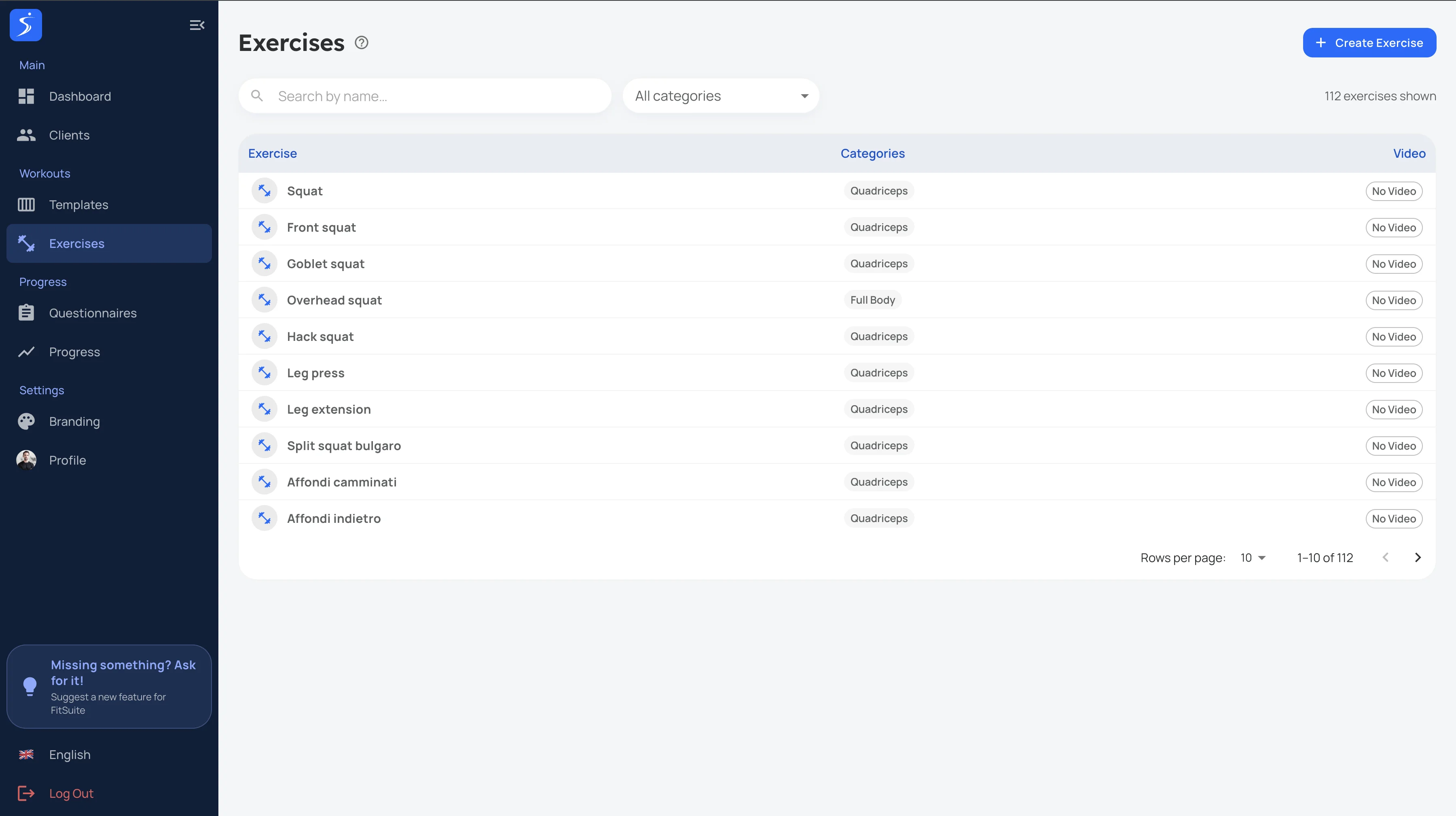
Pick from a built-in exercise library organized by muscle group, equipment, and movement pattern. Each exercise includes a video demo.
More features
Reusable Templates
Create a program once, reuse it across clients. Clone and customize templates to save hours every week.
Custom Exercise Uploads
Can't find an exercise? Add your own with custom names, descriptions, and video demos. Your library grows with you.
Smart Search & Filters
Find exercises instantly by name, muscle group, equipment, or difficulty level. Build targeted workouts faster with precise filtering.
Assign in Seconds
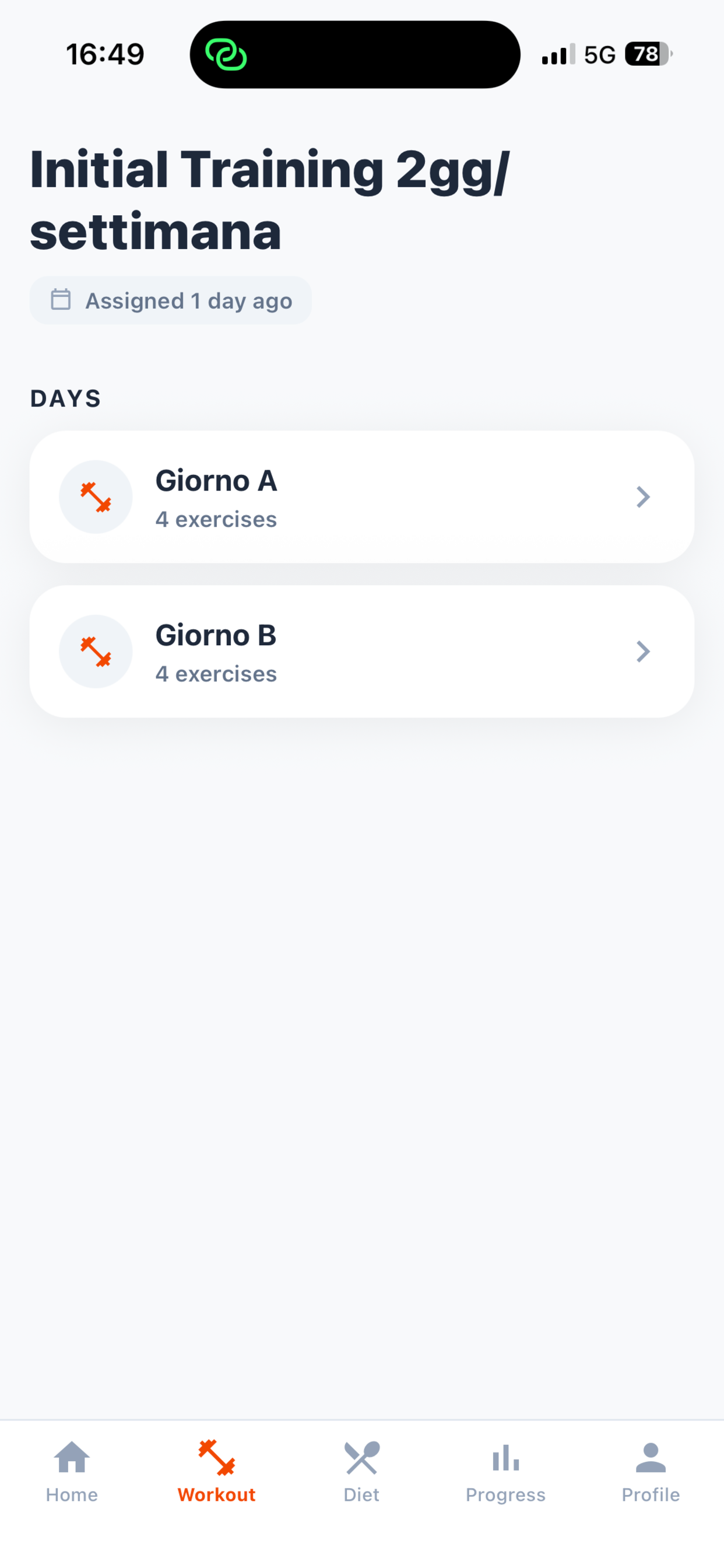
Send workout plans directly to clients with one click. They see it instantly in their app, ready to follow.
Sets, Reps, Tempo & Rest
Configure every detail — sets, reps, tempo, rest periods, and notes. Everything your client needs to train with confidence.
Client Workout Logging
Clients log sets, reps, and weights as they train. You see their actual performance and can adjust programs based on real data.
How Coaches Use This
Choose exercises
Browse the library or search by muscle group. Pick exercises with built-in video demos, or add your own custom exercises.
Build the program
Drag and drop to arrange exercises into supersets, circuits, or straight sets. Set reps, tempo, and rest for each.
Assign & track
Send the plan to your client with one click. They train from the app and log their performance. You review the data.
FAQ
Can I create workout templates and reuse them?
Yes. Build templates once and assign them to multiple clients with one click. Customize per client as needed.
Does the workout builder include exercise videos?
Yes. FitSuite includes a built-in exercise library with video demonstrations for 100+ exercises. You can also add custom exercises with your own videos.
Can clients log their workouts in the app?
Yes. Clients see their assigned workouts in the app and can log sets, reps, and weights as they train.
How many exercises are included?
The library includes 100+ exercises with video demos covering all major muscle groups and equipment types. You can also add unlimited custom exercises.
Can I add my own exercises?
Yes. Add custom exercises with your own names, descriptions, and video demos. They become part of your personal exercise library.
Can I search and filter exercises?
Yes. Smart search lets you find exercises by name, muscle group, equipment, or movement pattern.
Does it support supersets and circuits?
Yes. The drag-and-drop builder supports supersets, circuits, and complex program structures with full visual control.
Can I assign different plans to different clients?
Yes. Each client gets their own program. You can also use templates as starting points and customize per client.